
Local archive manager for macOS
A fast, private archive manager for your Mac.
Open, create, inspect, test, and safely extract archives without sending your files anywhere. Archi runs entirely on your Mac, powered by the bundled 7-Zip 26.02 engine.
Features
Everything an archive app should do
macOS handles basic ZIPs. Archi is a complete archive manager: browse before you extract, build and edit archives, and keep every operation local, observable, and reversible.
Open and preview files
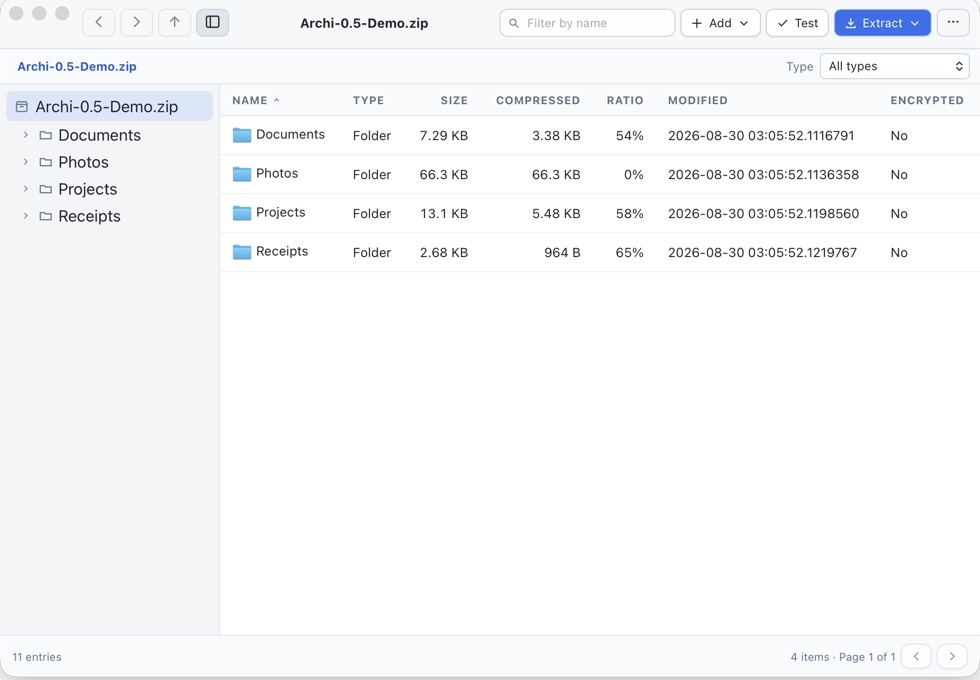
Browse, filter by filename or file type, sort, and test archives, then double-click a safe file or press Spacebar for Quick Look.
Safe, staged extraction
Output is validated in a private staging area first. Unsafe paths, links, collisions, and source replacement are blocked.
Create and safely edit
Create ZIP, 7z, TAR.GZ, TAR.XZ, TAR.ZST, GZIP, XZ, and Zstandard files. Add, delete, or rename entries in ZIP and 7z.
Fits into Finder
Open archives from Finder, drag files in or out, and run five Finder Services — Extract Here, Extract to Folder, Test, Compress to ZIP, and Compress with Options.
Private by design
No accounts, uploads, analytics, advertising, or tracking. Passwords are never written to disk.
Cancellable, observable jobs
See progress, the current entry, speed, and warnings. Cancel while archive work is running; final output commits atomically.
Formats
The formats you actually meet
One app for the archives people send you — and the ones you send out.
Create & modify
AES-256 encryption, entry editing, comments for ZIP, and multi-volume sets.
Create
Create compound TAR archives or compress one regular file as a stream.
Browse & extract
Supported formats below, plus best-effort CAB, ISO, LZH, and LHA.
Privacy & safety
Your archives never leave your Mac
Archi has no accounts, advertising, analytics, or usage tracking. It does not upload archive contents, file names, passwords, history, or diagnostics — archive operations don't even need a network connection.
Passwords are never written to settings, history, process arguments, or diagnostics. The open archive's password stays in memory only until you close it.
Traversal paths, absolute paths, archive links, unsafe collisions, and source replacement are all blocked before install.
No crash-report uploads, no update pings, no telemetry of any kind in Archi 0.6.1.
Up to ten recent archive paths stay on your Mac — disable or clear them any time from Settings.
Read the full privacy statement.
Download
Get Archi for Mac
One universal DMG for Apple Silicon and Intel Macs, signed with an Apple Developer ID and notarized by Apple.
Download the universal DMG from the latest release on GitHub.
Open the DMG and drag Archi into Applications.
Open Archi from Applications — then double-click any archive, or drop files in.
Windows and Linux builds are not available yet. Release notes · Known limitations